Celigo Alternatives for Enterprise IT: ERP Fit and Compliance
Celigo Alternatives for Enterprise IT: ERP Fit and Compliance

For regulated enterprises, Jundago is the strongest Celigo alternative when API governance, built-in compliance modules, and RBAC/ABAC security are non-negotiable. For teams running NetSuite-heavy stacks who need broad SaaS automation, Workato is worth a close look. MuleSoft (Anypoint) suits large programs that need centralized API management at scale. Dell Boomi covers hybrid-cloud connectivity with wide connector breadth. Fivetran is the right call for analytics ELT pipelines, not transactional ERP flows. Integrate.io, Make, and Zapier work well for departmental automation but hit hard limits in complex ERP environments.
Before you go deeper into any vendor, anchor your shortlist on four things:
- ERP-native fit: Does the platform handle your ERP’s document logic natively, or does it require custom mapping for every object?
- Governance and compliance certifications: Can the vendor produce audit trails, RBAC/ABAC controls, and relevant compliance artifacts (HIPAA, PCI DSS, IEC 62443) on request?
- Pricing predictability: Is the model subscription-flat or usage-based, and have you stress-tested it against 24-month volume growth?
- Team skillset match: Developer-first platforms carry hidden headcount costs that subscription comparisons never show.
Teams that leave Celigo typically do so for one of two reasons: pricing predictability at scale, or because their ERP stack requires native connector logic that Celigo’s NetSuite-centric design does not cover well.
Table of Contents
- What are the best Celigo alternatives for enterprise IT?
- Why Jundago is the recommended choice for regulated enterprises
- MuleSoft Anypoint: best for API-led enterprise architecture
- Dell Boomi: broad hybrid connectivity and quick time-to-value
- Workato: best for business-led automation across SaaS stacks
- Fivetran: best for ELT pipelines and analytics use cases
- Integrate.io, Make, and Zapier: quick wins and real limits
- How do you choose the right Celigo alternative?
- Why AI-native API governance is a different class of Celigo alternative
- Key Takeaways
- What practitioners get wrong about switching integration platforms
- Jundago is built for the compliance requirements your migration cannot afford to skip
- Further reading and sources for this guide
What are the best Celigo alternatives for enterprise IT?
The table below maps the main candidates across the dimensions that actually drive enterprise decisions. Generic feature counts are left out; the columns reflect what procurement teams and IT architects consistently ask about.
| Platform | Best for | Deployment | ERP-native capabilities | Connector breadth | Governance and compliance | Ease of use | Scalability | Pricing model | Support |
|---|---|---|---|---|---|---|---|---|---|
| Jundago | Regulated enterprises needing API governance + compliance | Cloud, hybrid, multi-cloud (AWS, Azure, GCP, Oracle) | REST, GraphQL, gRPC, SOAP; EDI; ETL/ELT studio | API-to-API, DB-to-API, EDI integrations | RBAC/ABAC, HIPAA, PCI DSS, IEC 62443, audit trails | AI-assisted, no-code to developer | Enterprise-grade | Custom subscription | Enterprise SLA, professional services |
| MuleSoft Anypoint | API-led enterprise architecture | Cloud, hybrid, on-prem | Strong API management; ERP connectors via Anypoint Exchange | Broad (1,000+ connectors) | Centralized API governance, SOC 2 | Developer-first | Very high | vCore-based (high TCO) | Tiered; premium costly |
| Dell Boomi | Hybrid-cloud connectivity, broad connector breadth | Cloud, hybrid, on-prem | Pre-built ERP connectors (SAP, Oracle, NetSuite) | Very broad (packaged) | SOC 2, HIPAA-ready | Low-code, moderate | High | Subscription tiers | Strong professional services |
| Workato | Business-led SaaS automation | Cloud | SaaS-focused; ERP connectors available | 1,000+ recipes | Recipe-level governance, SOC 2 | No-code, business-user-first | Moderate-high | Recipe/task-based | Community + premium |
| Fivetran | Analytics ELT, data warehouse pipelines | Cloud, hybrid | Managed source connectors (not transactional ERP logic) | wide connector breadth | SOC 2, HIPAA | Low-code | High for data volume | Consumption-based | Standard + enterprise |
| Integrate.io | Mid-market ETL/ELT, data pipelines | Cloud | Limited ERP-native document logic | Moderate | SOC 2 | Low-code | Moderate | Subscription | Standard |
| Make | Departmental automation, visual workflows | Cloud | Minimal ERP-native logic | 1,000+ apps | Basic | No-code | Low-moderate | Operations-based | Community |
| Zapier | Simple SaaS task automation | Cloud | Minimal | 6,000+ apps | Minimal | No-code | Low | Task-based | Standard |
| Informatica | Enterprise data management, MDM | Cloud, hybrid, on-prem | Strong SAP/Oracle native | Very broad | SOC 2, HIPAA, GDPR | Developer/admin | Very high | Custom enterprise | Enterprise SLA |
| Jitterbit | Mid-market API and ERP integration | Cloud, hybrid | SAP, Salesforce, NetSuite connectors | Broad | SOC 2 | Low-code | Moderate-high | Subscription | Professional services |
| Hevo | Real-time data pipelines, analytics | Cloud | Limited transactional ERP logic | wide connector breadth | SOC 2 | No-code | Moderate | Consumption-based | Standard |
| Skyvia | Cloud data integration, backup | Cloud | Limited | wide connector breadth | SOC 2 | No-code | Moderate | Subscription | Standard |
Two red flags visible in this table: First, platforms with operations-based or task-based pricing (Make, Zapier, Fivetran, Hevo) can produce renewal sticker shock when API or task volumes grow faster than projected. Second, platforms with “minimal” or “limited” ERP-native capabilities will require significant custom mapping work for any deep ERP document logic, which shifts cost from license to engineering headcount.
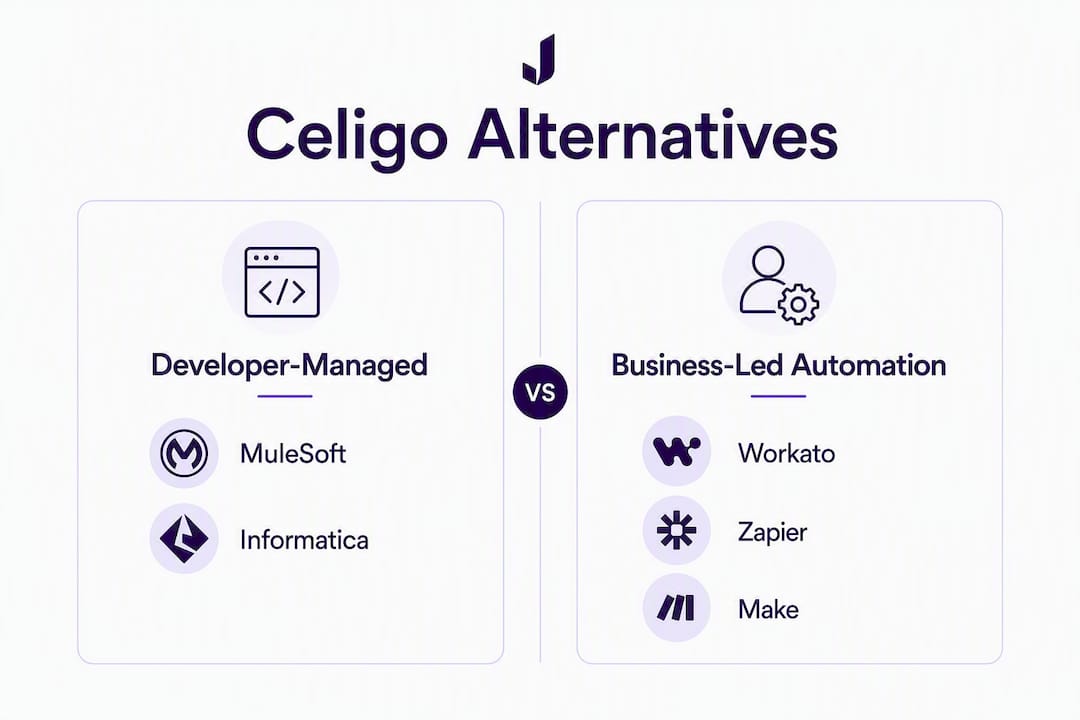
Developer-managed vs. managed service: a developer-managed platform (MuleSoft, Informatica) requires your team to build, operate, and maintain integrations. A managed service model (Jundago, some Boomi deployments) shifts operational ownership to the vendor or a partner, which changes your staffing model and SLA expectations significantly.
Why Jundago is the recommended choice for regulated enterprises
Jundago is built for the use case that generic iPaaS platforms handle poorly: regulated enterprises that need API governance, compliance automation, and integration in a single platform rather than stitched together from separate tools.
What Jundago covers
| Capability | Feature detail |
|---|---|
| API lifecycle | Generation from natural language (REST, GraphQL, gRPC, SOAP); AI-powered schema design; automated testing and load testing |
| Security | RBAC and ABAC controls; multi-cloud deployment (AWS, Azure, GCP, Oracle Cloud) |
| Integration studio | ETL/ELT studio; EDI integrations; API-to-API, DB-to-API, API-to-DB |
| Governance | Command Center for centralized governance; audit trails; compliance automation |
| Industry modules | Healthcare (HIPAA, HL7 FHIR); Finance (PCI DSS, KYC/AML, Open Banking); Manufacturing (IoT, SCADA, IEC 62443) |
| Workbench | EndPlex native API workbench with AI Assistant |
Pros:
- Compliance modules ship with the platform, not as add-ons requiring separate configuration
- RBAC and ABAC controls are native, not bolted on after deployment
- AI-assisted API generation from intent reduces the time from spec to working endpoint
- ETL/ELT studio and EDI integrations cover both operational and analytical data flows
- Multi-cloud deployment across AWS, Azure, GCP, and Oracle Cloud without vendor lock-in
Cons:
- Custom pricing means you need a scoping conversation before you can compare TCO directly
- Strongest fit for regulated mid-size to large enterprises; smaller teams with no compliance requirements may not need the full platform depth
Two practical use cases where Jundago’s design pays off directly:
Healthcare EHR exposure: A hospital system needs to expose patient data via HL7 FHIR-compliant APIs while maintaining HIPAA audit trails and restricting access by role. Jundago’s API Studio generates the FHIR-compliant endpoint from intent, the industry module enforces HIPAA controls, and RBAC limits data access to authorized roles. The compliance artifact is produced automatically rather than assembled manually for each audit.
Finance account-to-ledger flows: A financial services firm running SAP needs API-first account-to-ledger integrations with PCI DSS controls and KYC/AML checks embedded in the flow. Jundago’s finance module handles the compliance layer while the ETL/ELT studio manages the data transformation, keeping the integration logic and the compliance evidence in one governed environment.
Pro Tip: During RFP demos, ask vendors to show you a live compliance artifact, not a screenshot. Request an actual audit trail export from a test flow, and ask specifically which compliance controls are native to the platform versus which require third-party add-ons or manual configuration. The answer tells you more than any feature checklist.
MuleSoft Anypoint: best for API-led enterprise architecture
MuleSoft is the platform of choice when an enterprise needs to build a large-scale API network with centralized governance across hundreds of services. Its Anypoint Platform covers API design, management, runtime, and analytics in one environment, and its Anypoint Exchange gives teams a reusable asset library that genuinely reduces duplication across large programs.

The developer-first design is both its strength and its cost driver. MuleSoft requires skilled Mule developers to build and maintain integrations, and enterprise integration programs at scale typically need a dedicated integration team rather than a shared resource model.
Pros:
- Centralized API governance across complex, multi-team programs
- Broad connector library via Anypoint Exchange (1,000+ connectors)
- Strong API analytics and monitoring built in
- Proven at very large enterprise scale
Cons:
- vCore-based pricing scales steeply with workload growth; engineering headcount adds significantly to TCO
- Steep learning curve; requires certified Mule developers for non-trivial integrations
- Implementation timelines for complex programs routinely run longer than initial estimates
- Less suited to business-user-led automation; this is a developer platform
Best for: Large enterprises running API-led connectivity programs where a dedicated integration engineering team is already in place or budgeted. If your organization needs to govern hundreds of APIs across multiple business units, MuleSoft’s architecture is designed for exactly that. If you need rapid deployment with a lean team, the headcount requirement will dominate your TCO.
Hidden costs to model: vCore licensing, Anypoint Runtime Manager, and the engineering cost of building and maintaining Mule flows. Teams that underestimate the staffing component often find that the subscription cost is a fraction of the total program spend.
Dell Boomi: broad hybrid connectivity and quick time-to-value
Boomi’s positioning is straightforward: wide connector breadth, hybrid deployment support, and a low-code interface that lets integration teams move faster than developer-first platforms allow. Market analysts consistently place Boomi in the hybrid-cloud connectivity category, and that placement is accurate.
| Dimension | Boomi detail |
|---|---|
| Deployment | Cloud, hybrid, on-prem |
| ERP connectors | Pre-built for SAP, Oracle, NetSuite, Workday, Salesforce |
| Connector breadth | Very broad; packaged connectors cover most enterprise systems |
| Governance | SOC 2 certified; HIPAA-ready configurations available |
| Ease of use | Low-code drag-and-drop; moderate learning curve for complex flows |
| Professional services | Strong partner ecosystem; Boomi Professional Services available |
Pros:
- Pre-built connectors reduce initial build time for standard ERP-to-SaaS flows
- Hybrid deployment covers on-prem systems that cloud-only platforms cannot reach
- Low-code interface accessible to integration specialists without deep developer skills
- Strong professional services and partner network for implementation support
Cons:
- Packaged connectors cover standard use cases well but customization for non-standard ERP document logic can require significant effort
- Governance tooling is adequate but not as deep as platforms built specifically for regulated industries
- Pricing tiers can become complex at enterprise scale; model carefully before committing
Where Boomi wins: Enterprises with mixed on-prem and cloud environments that need to connect a wide range of systems quickly. A manufacturing company connecting SAP on-prem to Salesforce CRM and a cloud WMS is a natural Boomi use case. Where it may underdeliver: organizations that need deep ERP-native document mapping for complex financial or healthcare workflows, or those that need compliance automation rather than compliance-ready configurations.
Workato: best for business-led automation across SaaS stacks
Workato’s core value is speed for business teams. Its recipe-based model lets non-technical users build automations across SaaS applications without writing code, and its AI assistance accelerates recipe creation further. Buyer guides consistently place Workato in the SaaS process automation category, and it earns that placement.
Pros:
- No-code recipe builder accessible to business analysts and operations teams
- Large recipe library reduces time-to-first-automation
- Centralized recipe governance lets IT maintain oversight while business teams build
- AI assistance for recipe creation and troubleshooting
- Strong Salesforce, Slack, and modern SaaS ecosystem coverage
Cons:
- Recipe/task-based pricing becomes expensive at high automation volumes; model your task counts carefully before signing
- ERP-native document logic for complex SAP or Oracle flows requires more effort than the no-code interface suggests
- Governance tooling is recipe-level, not API-level; regulated enterprises with audit requirements will find it insufficient for compliance-grade workflows
- Less suited to developer-built, API-first architectures
Best for: Business and IT teams that want to automate SaaS-to-SaaS workflows rapidly, with IT maintaining governance through centralized recipe controls. A RevOps team connecting Salesforce, HubSpot, and NetSuite for quote-to-cash automation is a strong Workato use case. For regulated workflows requiring HIPAA or PCI DSS compliance artifacts, the governance tooling is not deep enough without additional controls layered on top.
Fivetran: best for ELT pipelines and analytics use cases

Fivetran is a data-pipeline specialist, not a general-purpose iPaaS. That distinction matters when you are evaluating it as a Celigo alternative: Fivetran excels at managed ELT from source systems into data warehouses (Snowflake, BigQuery, Databricks, Redshift), with automated schema evolution that reduces pipeline maintenance significantly.
| Dimension | Fivetran detail |
|---|---|
| Primary use case | Analytics ELT; managed data pipelines to cloud warehouses |
| ERP-native logic | Managed source connectors; not designed for transactional ERP document orchestration |
| Connector breadth | wide connector breadth; strong coverage of SaaS, databases, and cloud apps |
| Schema management | Automated schema drift detection and evolution |
| Governance | SOC 2 Type II, HIPAA Business Associate Agreement available |
| Pricing | Consumption-based (rows synced); stress-test at 24-month volume growth |
Pros:
- Managed connectors reduce pipeline maintenance; schema evolution is largely automatic
- Strong coverage of modern data sources and cloud warehouses
- HIPAA BAA available for healthcare analytics use cases
- Reliable, predictable pipeline behavior for analytics workloads
Cons:
- Not designed for transactional ERP orchestration; complex ERP document logic (purchase orders, invoices, multi-step approvals) is outside its design scope
- Consumption-based pricing scales with data volume; high-volume analytics pipelines can produce significant cost growth
- No API lifecycle management, no RBAC/ABAC for operational systems, no compliance automation for regulated workflows
Best for: Analytics engineering teams and data platform owners who need reliable, managed ELT from source systems into a cloud warehouse. If your Celigo use case is primarily operational ERP integration or API-first connectivity, Fivetran is not a substitute. If your use case is analytics data pipelines, it is one of the strongest options available.
Integrate.io, Make, and Zapier: quick wins and real limits
No-code and low-code platforms serve a genuine purpose in enterprise IT. The mistake is deploying them where they were not designed to go.
Integrate.io targets mid-market ETL/ELT and data pipeline use cases with a low-code interface. It handles standard data movement between cloud systems reasonably well and carries SOC 2 certification. For straightforward data sync between a CRM and a data warehouse, it delivers fast time-to-value at a lower price point than enterprise platforms.
Make (formerly Integromat) and Zapier are visual automation tools built for SaaS-to-SaaS workflows. Zapier’s 6,000+ app integrations make it the broadest no-code option for simple trigger-action automations. Make’s visual scenario builder handles slightly more complex multi-step flows. Both are genuinely useful for departmental automations: syncing form submissions to a CRM, routing Slack notifications, or triggering email sequences from spreadsheet updates.
The limits become visible quickly in enterprise ERP environments. None of these platforms handles complex ERP document logic natively. A multi-step SAP purchase order flow with approval routing, exception handling, and audit trail requirements will require workarounds that accumulate technical debt. Governance tooling is minimal: no RBAC/ABAC, no compliance automation, no audit trail suitable for a regulated industry audit. Entry-level automation platforms often have lower initial price points but can become expensive at scale, particularly when task or operation volumes grow faster than projected.
Pro Tip: Before deploying a no-code tool for what looks like a simple integration, map the exception paths. The happy path is always simple. The exception handling, error logging, retry logic, and audit requirements are where no-code tools hit their ceiling in enterprise environments.
How do you choose the right Celigo alternative?
The single selection rule: evaluate ERP-native fit first, then governance and compliance, then operational TCO. A platform that scores well on features but cannot handle your ERP’s document logic natively will cost more in engineering than the license savings justify.
Evaluation checklist
- Map your current data flows. Document every active integration: source, destination, transformation logic, volume, and frequency. Identify which flows touch ERP systems and which are SaaS-to-SaaS.
- Classify connectors. Separate ERP-native connectors (built specifically for your ERP’s document model) from generic REST/API connectors. Generic connectors require custom mapping for ERP objects; native connectors do not.
- Estimate flow and task volumes. Pull 12 months of actual volume data. Project 24-month growth. Apply that growth to each vendor’s pricing model before comparing costs.
- Assess governance and certifications. Request compliance artifacts from each vendor: SOC 2 Type II report, HIPAA BAA (if applicable), PCI DSS attestation, audit trail samples. Ask which controls are native versus configured.
- Model total cost of ownership. License cost is one line. Add: implementation services, internal engineering headcount, ongoing operations, training, and the cost of any compliance tooling the platform does not include natively.
- Score team skillset fit. A developer-first platform requires developers. A no-code platform requires governance guardrails. Match the platform’s operational model to your team’s actual capacity, not your aspirational capacity.
Questions to ask vendors during discovery
- Which ERP objects does your native connector handle without custom mapping?
- Show me a live audit trail export from a test flow.
- What is your SLA for integration failures, and how is it measured?
- Which compliance certifications are current, and can you provide the attestation documents?
- How does pricing scale if our API call or task volume doubles in 18 months?
- What is your rollback procedure if a production cutover fails?
- How do you handle schema changes in source ERP systems?
- What engineering resources do we need to operate the platform post-implementation?
- What is your upgrade path, and do upgrades require re-testing our integrations?
- How do you handle ERP master data mapping (customers, vendors, items)?
- What monitoring and alerting does the platform provide natively?
- Can you provide reference customers in our industry with similar compliance requirements?
Migration timeline
| Phase | Duration | Key activities | Owner |
|---|---|---|---|
| Scoping | 2–4 weeks | Flow inventory, connector classification, TCO modeling | IT architect + integration lead |
| Vendor selection | 2–4 weeks | RFP, demos, compliance artifact review, reference checks | IT + procurement + compliance |
| Pilot | 4–6 weeks | Migrate 2–3 non-critical flows; validate ERP mapping, governance, monitoring | Integration team |
| Parallel run | 4 weeks | Run old and new platforms simultaneously; validate data parity | Integration team + business owners |
| Cutover | 1–2 weeks | Migrate remaining flows; decommission old platform connections | Integration team + IT ops |
| Stabilization | 4–6 weeks | Monitor, tune, document runbooks; close compliance evidence | Integration team + compliance |
Red flags that should pause or abort a migration:
- The vendor cannot produce a native ERP mapping plan for your specific ERP version
- Pricing is usage-based with no cap and the vendor cannot model your growth scenario
- Audit trail and governance features require third-party add-ons not included in the quoted price
- The vendor has no reference customers in your regulated industry
Pro Tip: Model usage-based pricing at 2x and 3x your current volume before signing. Include the engineering headcount cost to build, operate, and maintain integrations in your TCO estimate. Subscription line items routinely understate true program cost by a factor of two or more when headcount is excluded.
Managed integration services are worth evaluating when your team lacks integration operations capacity or needs SLA-backed ownership of the integration layer. The tradeoff is less direct control; the benefit is operational accountability that self-service iPaaS does not provide.
Why AI-native API governance is a different class of Celigo alternative
For regulated enterprises, the gap between a generic iPaaS and an AI-native API platform is not a feature count difference. It is a compliance lift difference.
Generic iPaaS platforms move data between systems. They do not generate compliant API contracts, enforce access controls at the API layer, or produce audit evidence automatically. In a regulated environment, those capabilities require separate tooling, manual documentation, and engineering effort that accumulates across every integration. Industry reports show that regulated enterprises increasingly prioritize AI-native data and compliance capabilities in vendor selection, and the reason is operational: manual compliance work does not scale.
| Capability | Generic iPaaS | AI-native API platform (Jundago) |
|---|---|---|
| API contract generation | Manual spec writing | AI-generated from natural language intent |
| Schema governance | Manual documentation | Automated schema design and validation |
| Compliance controls | Configured per integration | Native industry modules (HIPAA, PCI DSS, IEC 62443) |
| Access control | Platform-level (basic) | RBAC and ABAC at API and data level |
| Audit trail | Log export (manual assembly) | Automated audit trail per flow and API |
| Testing | Manual or third-party | Automated testing and load testing built in |
| Multi-cloud deployment | Varies | Native (AWS, Azure, GCP, Oracle Cloud) |
Two patterns show where this difference becomes concrete:
A healthcare organization exposing patient data via APIs faces HIPAA audit requirements on every data access event. With a generic iPaaS, the compliance team assembles audit evidence manually from log exports, cross-referencing access logs with role assignments. With Jundago’s HIPAA module and RBAC controls, the audit trail is generated automatically per API call, role assignments are enforced at the API layer, and the compliance artifact is produced on demand rather than assembled under audit pressure.
A financial services firm building Open Banking APIs needs PCI DSS controls embedded in the API layer, not applied after the fact. AI-assisted API generation with the finance compliance module means the PCI DSS requirements are part of the API contract from the first build, not a checklist item added during QA.
Jundago’s AI-native approach means compliance is built into the API from the moment it is generated, not retrofitted during audit preparation. For regulated enterprises, that difference shows up directly in validation cycle time and audit readiness. The platform’s Command Center governs every API across AWS, Azure, GCP, and Oracle Cloud from a single pane, with RBAC/ABAC enforced at the API layer and industry-specific compliance modules for healthcare, finance, and manufacturing.
The Gartner iPaaS market reviews consistently show governance and compliance as top evaluation criteria for enterprise buyers. Platforms that treat compliance as a configuration task rather than a platform capability require ongoing engineering effort to maintain that configuration as systems, regulations, and team membership change.
Key Takeaways
For regulated enterprises evaluating Celigo alternatives, ERP-native fit and built-in compliance automation matter more than raw connector counts or headline pricing.
| Point | Details |
|---|---|
| ERP fit drives selection | Choose a platform with native ERP document logic for your specific ERP; generic connectors shift cost to engineering. |
| Governance is a platform capability | Platforms where compliance is configured per integration cost more to maintain than those with native compliance modules. |
| Model TCO at 2x–3x volume | Usage-based pricing and engineering headcount routinely double the apparent subscription cost at enterprise scale. |
| Red flag: no ERP mapping plan | If a vendor cannot show a native mapping plan for your ERP version, pause the evaluation before investing in a pilot. |
| Jundago for regulated enterprises | Jundago’s AI-native API lifecycle, RBAC/ABAC, and industry compliance modules (HIPAA, PCI DSS, IEC 62443) make it the recommended choice for regulated mid-size to large enterprises. |
What practitioners get wrong about switching integration platforms
Most migration projects underestimate one thing: the difference between moving integrations and moving the operational model that supports them.
Switching from Celigo to a developer-first platform like MuleSoft is not just a technical migration. It is a staffing decision. The platform requires certified developers to build and maintain flows, which means either hiring, retraining, or engaging a systems integrator for ongoing operations. Teams that model only the license cost and the initial implementation miss the ongoing engineering cost entirely, and that gap shows up at the first renewal.
The inverse is also true. Moving to a no-code platform to reduce engineering dependency works until the first complex ERP exception case arrives. At that point, the workarounds required to handle what the platform was not designed for create technical debt that compounds with every new integration.
The practitioners who navigate this well do one thing differently: they scope the operational model before they scope the technology. Who will build integrations? Who will monitor them? Who owns the compliance evidence? Who handles ERP schema changes? Those questions determine which platform category fits, and the technology selection follows from that, not the other way around.
For regulated enterprises, the additional constraint is that the compliance operational model cannot be an afterthought. If your platform requires manual assembly of audit evidence, that work lands on someone’s desk at every audit cycle. Platforms that automate compliance evidence generation change that equation materially.
Jundago is built for the compliance requirements your migration cannot afford to skip
When you are migrating away from Celigo and your environment includes HIPAA, PCI DSS, or IEC 62443 requirements, the integration platform you choose becomes a compliance infrastructure decision, not just a connectivity decision. Most platforms in this comparison handle connectivity well. Fewer handle the compliance layer natively.
Jundago’s AI-native API platform ships with RBAC/ABAC security, automated audit trails, and industry-specific compliance modules for healthcare, finance, and manufacturing. API generation from natural language intent, ETL/ELT studio, EDI integrations, and multi-cloud deployment across AWS, Azure, GCP, and Oracle Cloud are included in the platform, not assembled from separate tools. For regulated enterprises that need governance built in from the first API, not configured after the fact, Jundago is worth a direct evaluation. Request a demo at jundago.com to see the compliance modules and governance controls against your specific requirements.
Further reading and sources for this guide
The sources below were used to support the analysis in this guide and are recommended reading during vendor evaluation.
- Celigo Intelligent Automation Platform Alternatives — Gartner Peer Insights: Verified user reviews comparing Celigo to alternatives across enterprise use cases; useful for understanding real-world switching reasons and peer ratings.
- iPaaS Market Reviews — Gartner: Gartner’s full iPaaS market category with peer reviews across vendors; use this to benchmark governance and compliance ratings across the shortlist.
- Celigo User Reviews — Capterra: Buyer reviews surfacing common Celigo limitations cited by actual users; useful for understanding the specific pain points that drive migration decisions.
- Best Celigo Alternatives in 2026: ERP Fit, Pricing, and the Right iPaaS — APPSeCONNECT: Comparative roundup segmenting Celigo competitors by technical depth; useful for category placement and initial shortlisting.
- Celigo Competitors: 2026 iPaaS Landscape and Switching Guide — Houseblend: Analysis of the 2026 iPaaS landscape with emphasis on AI-native and compliance-driven vendor selection trends.
- Best Celigo Alternatives (2026) — Plugjunction: Pricing model comparison across entry-level and enterprise platforms; useful for modeling SMB vs. enterprise cost tradeoffs.
- Celigo Alternatives and Competitors (2026) — ITQlick: Vendor comparison with use-case segmentation; supports best-for guidance during shortlisting.
- Top Celigo Alternatives for Service Integrations in 2026 — ONEiO: Covers managed integration services as an alternative model; recommended reading when evaluating whether self-service iPaaS or managed integration fits your team’s operational capacity.
- MuleSoft Anypoint Platform — Enterprise Integration: MuleSoft’s own product documentation for enterprise integration; use during vendor evaluation to understand vCore pricing and API management capabilities.